Authorize Your IDX or VOW Vendor in Bridge Interactive
What You Need to Know
REcolorado is moving its data delivery platform from MLS Grid to Bridge Interactive. Anyone with an IDX or VOW website that displays REcolorado data must now submit a data access agreement with their vendor in Bridge Interactive.
Completing this process early helps agents avoid a disruption to the data on their websites.
Before agents can log in, the managing broker for the office must log in to Bridge Interactive and complete a one-time authorization. If your managing broker has not yet done this, you will see an error message when you try to log in.
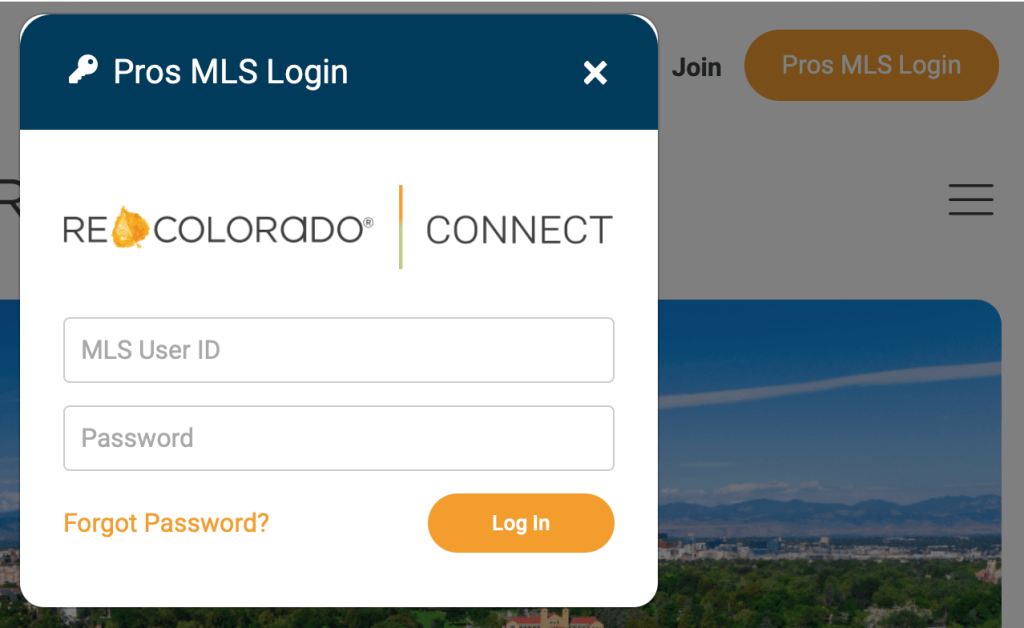
From REcolorado.com, click “Pros MLS Login,” enter your credentials, and click “Log In.”
2. Click the Bridge Interactive Tile
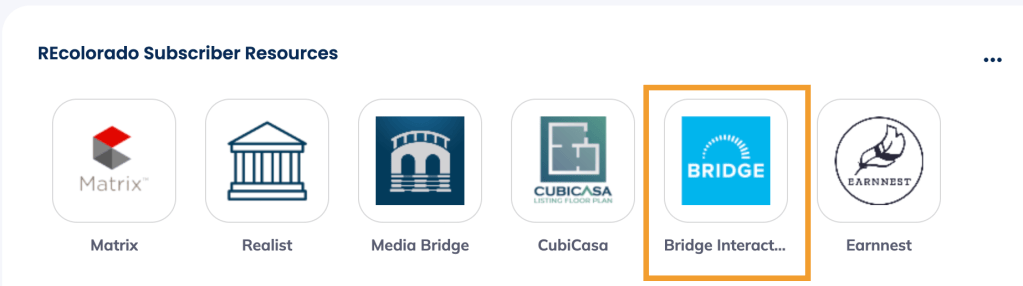
Under REcolorado Subscriber Resources, click the tile for Bridge Interactive.
You will be logged in to Bridge Interactive.
3. Create an Agreement
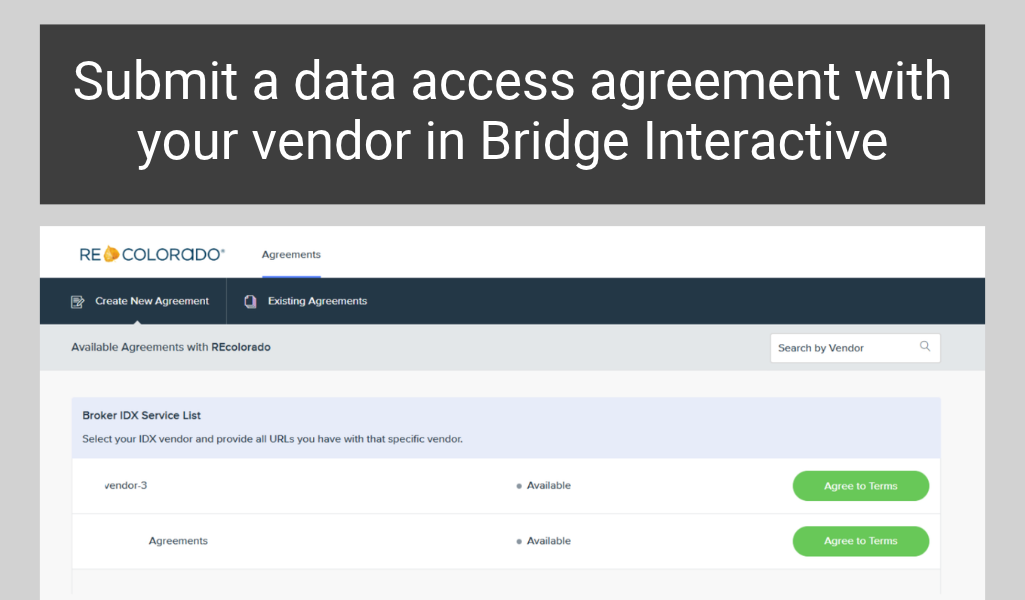
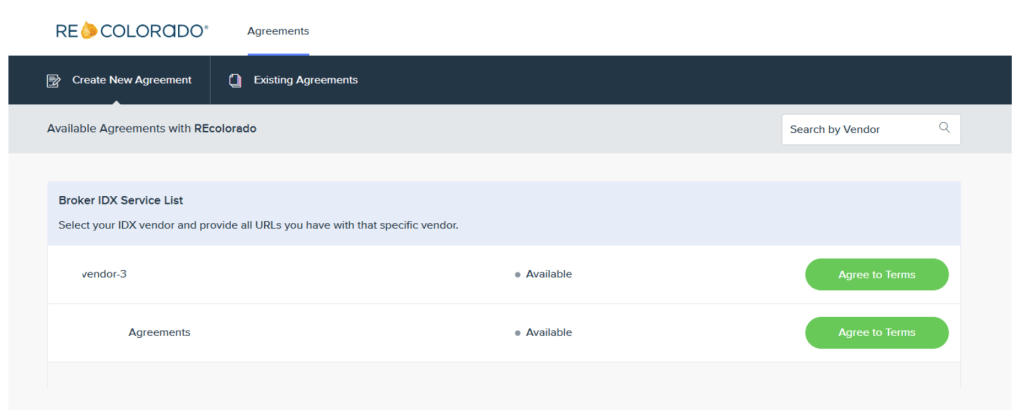
On the “Create New Agreement” tab, find your vendor on the approved vendor list and click “Agree to Terms.”
If you do not see your IDX/VOW vendor, reach out to them and ask them to email datalicensing@recolorado.com to start the licensing approval process.
4. Add Your Website URLs
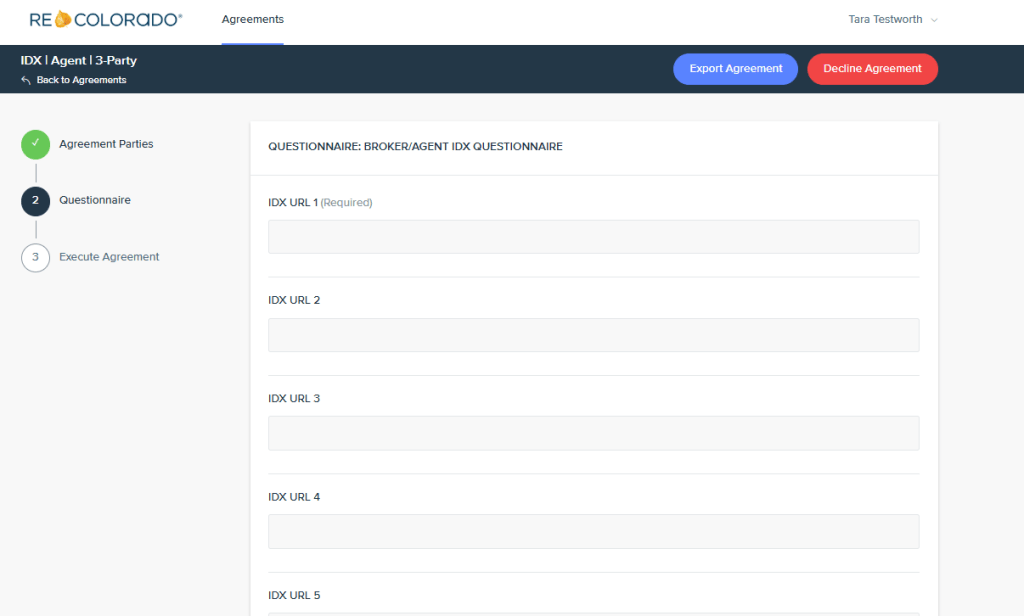
Complete the Questionnaire by entering the URL of each website the vendor supports. If you work with more than one vendor, repeat steps 3 and 4 for each one.
Note: Each agent must complete their own agreement and enter the URLs for their own websites. Managing brokers cannot submit URLs on behalf of their agents.
REcolorado will review and approve the agreement.
Managing Your Agreements
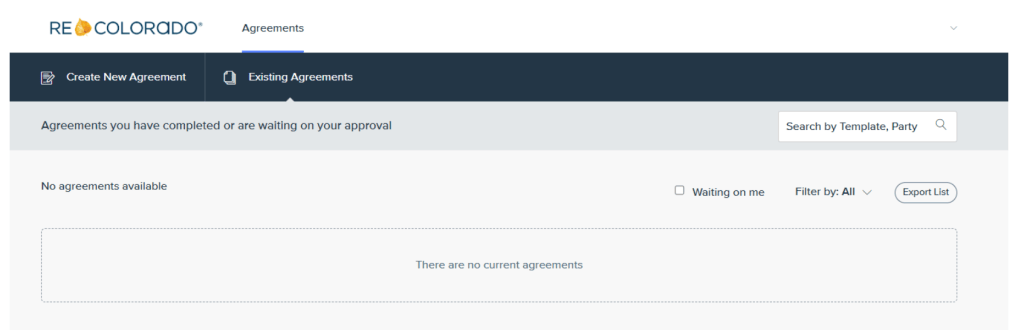
To see your agreements and their status, click “Existing Agreements” in the top menu.
To add, change, or remove a website, cancel the existing agreement and submit a new one with all applicable URLs. Existing agreements cannot be modified.
REcolorado is transitioning its data delivery platform from MLS Grid to Bridge Interactive. Because of this change, anyone with an IDX or VOW website that displays REcolorado data needs to authorize their vendor in Bridge Interactive.
Any REcolorado customer with an IDX or VOW website. Submitting the agreement authorizes your vendor to continue providing REcolorado data to your site. Each agent must complete their own agreement and enter the URLs for their own websites. Managing brokers cannot submit URLs on behalf of their agents.
Yes. Submit a separate agreement for each vendor that provides REcolorado data to your websites. In each agreement, list only the website URLs that vendor supports.
REcolorado will share a firm deadline at a later date. Submit your agreement as soon as possible to give your vendor time to make the switch and avoid a disruption to the data on your website.
Your managing broker needs to log in to Bridge Interactive first and complete a one-time authorization for your office. Until that happens, you will see an error message explaining that this step is still needed. Once your managing broker completes it, you can click the tile and log in to complete your agreements.
Vendors appear on the list only after they’ve been approved for a data license with REcolorado. If yours isn’t listed, contact them directly and ask them to email datalicensing@recolorado.com to start the approval process. Once REcolorado approves them, you will be able to select them in Bridge Interactive.
After you submit, your vendor is notified that you’ve named them in an agreement. They do not need to approve it and will only take action if there is an error and the agreement should be canceled. Your managing broker does not need to review or sign the agreement. REcolorado will review and approve the agreement, typically within 3-5 business days.
Yes, but only the office Participant can request a PDAP feed. Agents, managing brokers and other office staff cannot authorize a PDAP vendor. The Participant must log in to Bridge Interactive, find the vendor under the Broker PDAP Service List, click “Agree to Terms,” and complete the questionnaire.